Stark in Slack & Microsoft Teams: Breaking accessibility insights out of their silo
Stark now connects directly with Slack and Microsoft Teams, bringing accessibility project status, health, and compliance posture into the tools where your teams already work and communicate regularly. Query on demand or subscribe to automatic updates — without leaving your workflow.

Team Stark
Mar 31, 2026
Historically, accessibility data on a team’s projects (much like the work needed to detect and remediate) hasn’t lived where teams actually work. It’s been siloed in dashboards that are easy to overlook.
Last year, we brought that project information to email digests. And starting today, Stark connects directly with Slack and Microsoft Teams. Query the status of your projects and assets, review your Compliance Center posture, and subscribe to automatic updates delivered directly to your team.
Stark for Slack
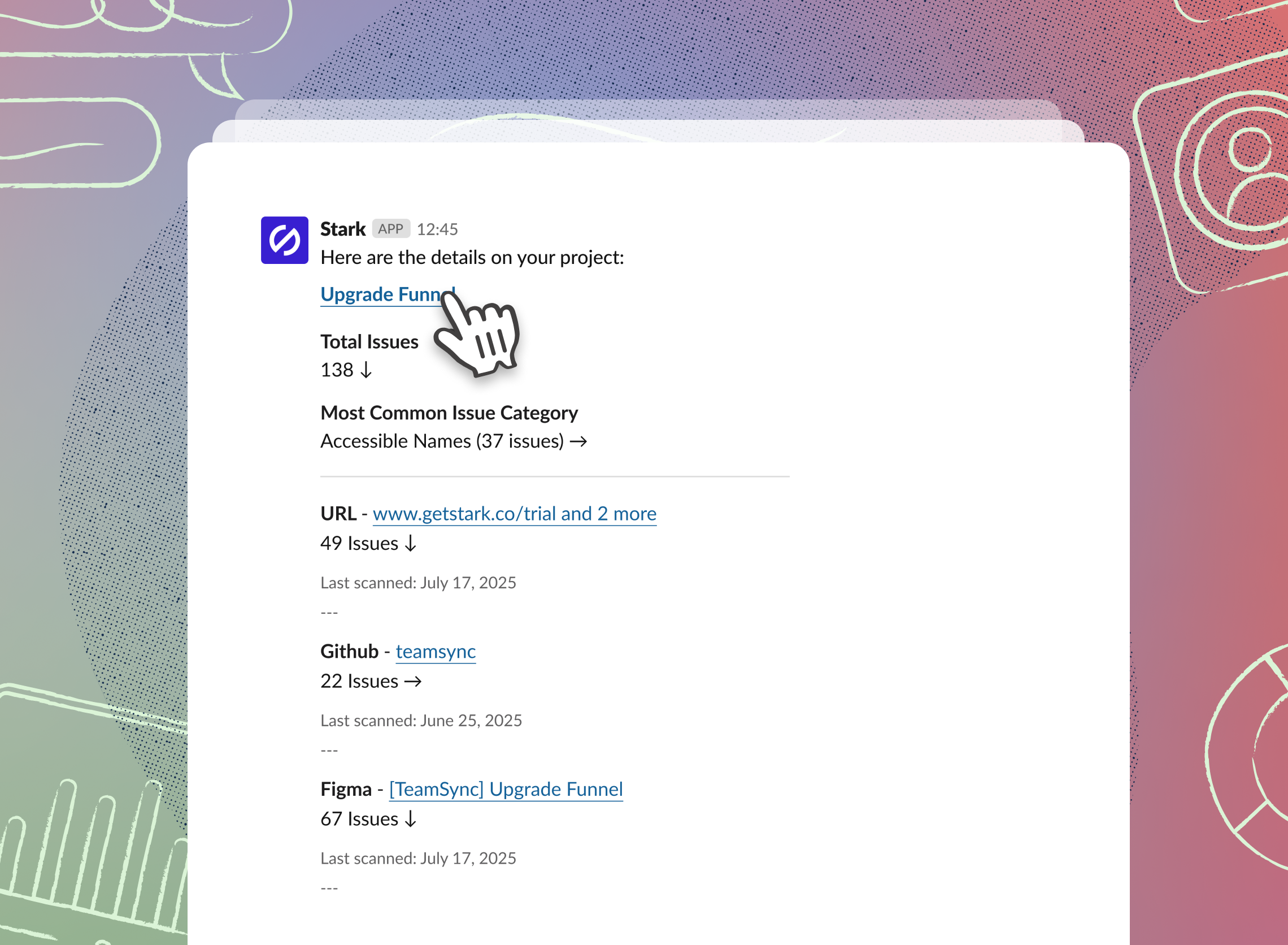
After you connect your Stark and Slack workspaces, with a simple / you get the latest updates without ever leaving your central place of communication. You can query on demand or subscribe to have updates delivered automatically.
- Project status → number of projects, total issues, total high severity issues, and the category with the most issues
- Specific project detail → total issues, most common issue category, and a breakdown of assets by issue count
- Compliance Center posture → progress per framework, controls assigned to you, and controls missing evidence
Stark for Microsoft Teams
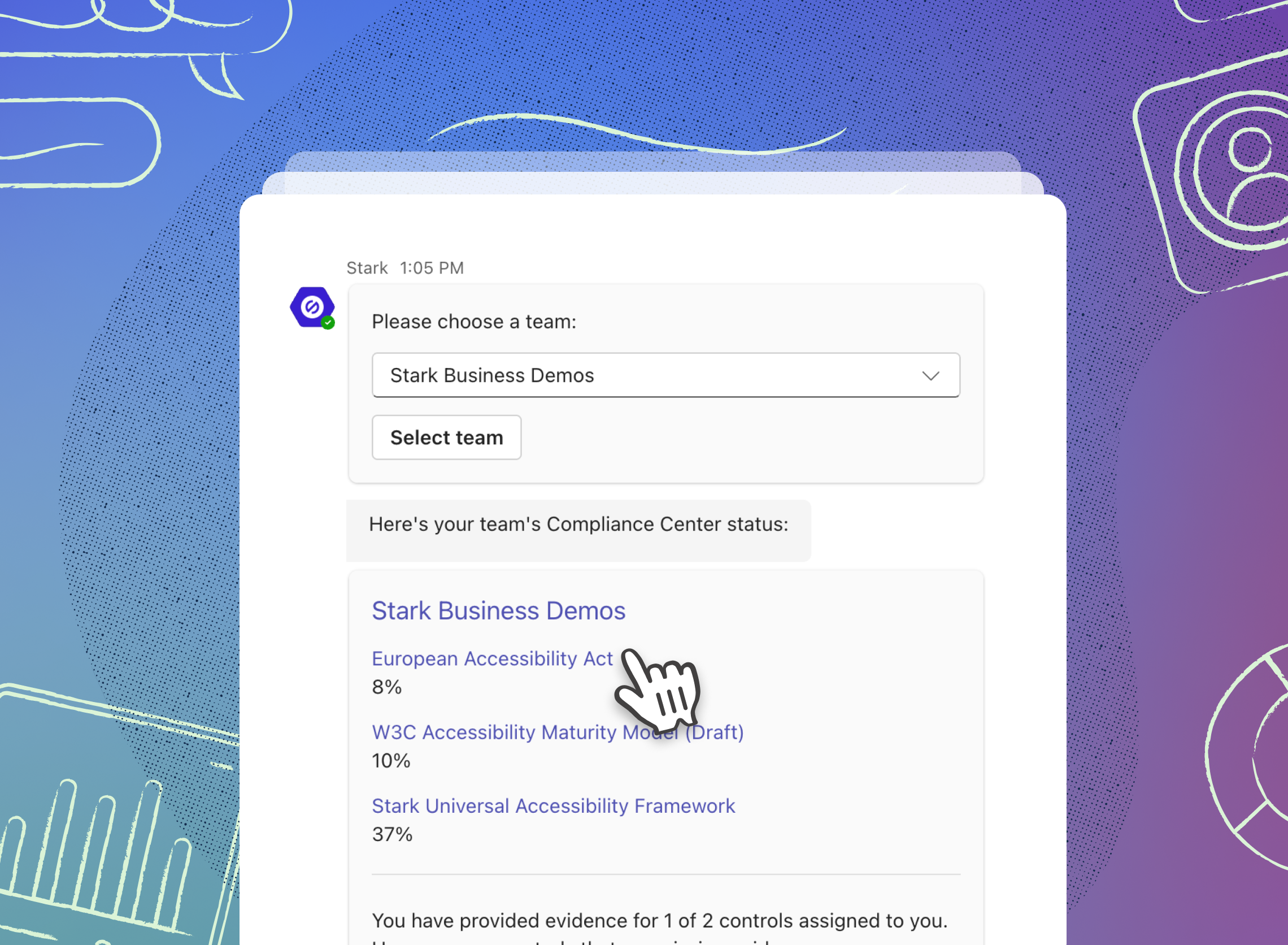
Install Stark in the Microsoft Teams marketplace and follow the standard setup flow to connect your workspace. Once installed, you can query your data or subscribe to updates directly within Teams conversations.
-
Project & asset status → query the status of your team's projects and assets
-
Compliance Center → access summaries of your compliance posture directly in Teams
-
Automatic updates → subscribe to updates for teams, projects, and Compliance Center
-
In-conversation summaries → view Stark data without switching apps
Measurement moves accessibility internally
When accessibility loses visibility between audits, it becomes overhead — a cost without a feedback loop. When it shows up continuously within your primary communications channels, it becomes something you can stay on top of, govern, improve, and point to. These integrations make that shift practical.
For Grow and Scale plan organizations, Stark for MS Teams and Slack are available today for you to add as an app, bringing insights directly in your workflow.
💬 Don’t have access (yet) but are interested in giving it a spin? Kick off a free two-week trial (no credit card required!) straight away.
Feel free to share your thoughts and feedback at support@getstark.co, or join the conversations in our Stark Slack Community, on LinkedIn, and on Twitter.