Five accessibility skills for each discipline to use with AI Agents in Claude, Codex, Cursor, VS Code, Github Copilot, and more
Stark's accessibility skills are now available for any AI coding agent that support them, which covers Claude, Cursor, Codex, VS Code, and GitHub Copilot. Each skill teaches your agent how to handle accessibility work in the discipline it's already operating in — design files, front-end code, native mobile, back-end responses, or program-level compliance — so what you get back matches the surface you're working on instead of a generic WCAG summary.

Team Stark
Sep 3, 2026
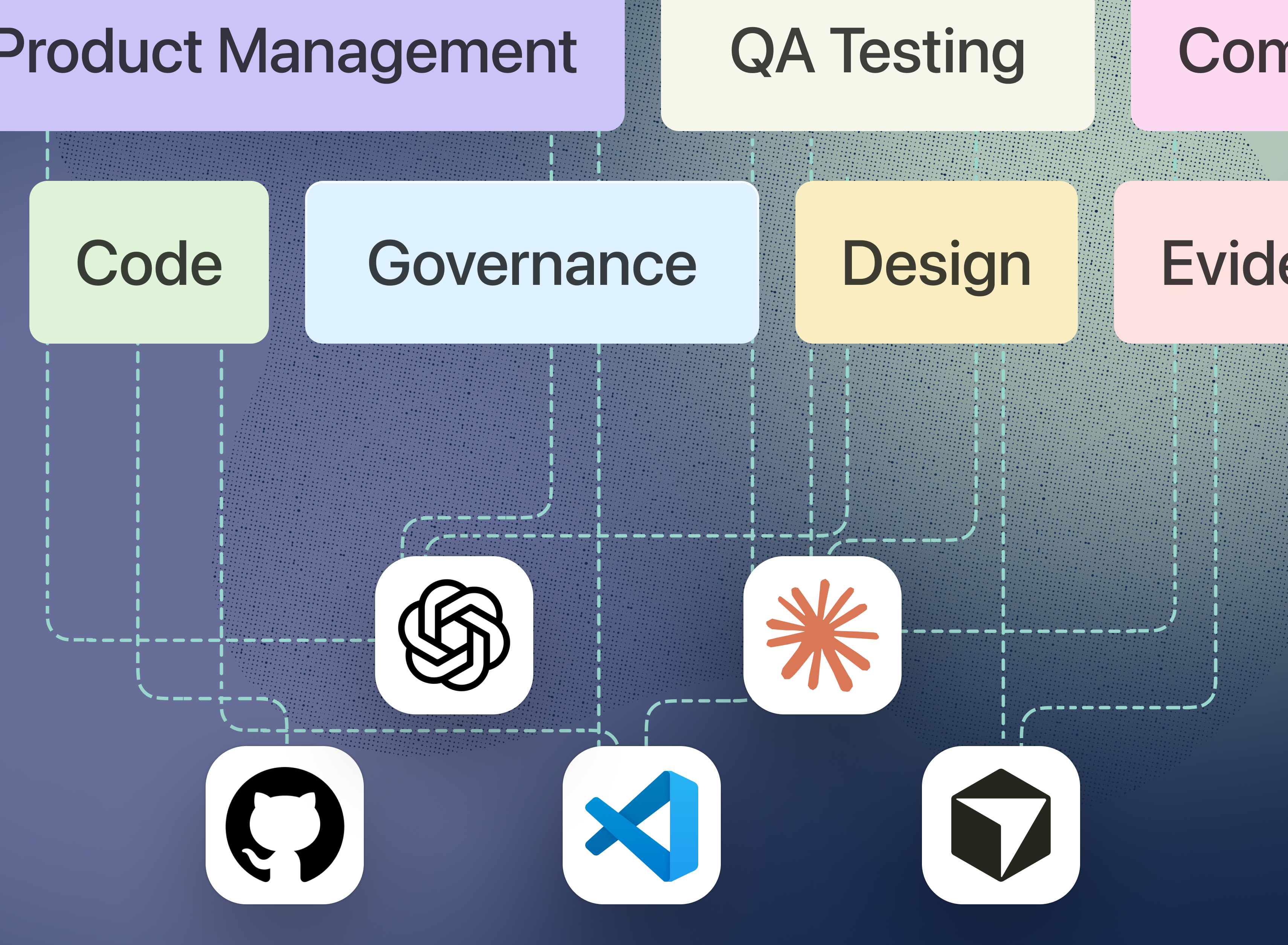
We just brought our dedicated accessibility engine to Claude with our Stark connector. And now we’re fast following with the skills to supercharge it.
A connector gives your LLM access to your Stark reporting data, insights, and more. A skill gives it the judgment to act on what comes back. Skills are focused instruction sets that guide an AI agent how to do a specialized task well, so instead of generic accessibility advice, your LLM returns guidance that's correct for the surface you're working on and written in the language you work in.
We've published five, each matched to a discipline.
How the skills work in Stark
Accessibility has always required different expertise and perspectives across the organization, and that’s been reflected in the way Stark-skills are split. Once added, your AI agent automatically calls the most appropriate skill when it recognizes the task, or a skill can be forced with a slash command like `/stark-frontend`.
Skills operate on their own, but are most valuable when paired with the Stark connector, which gives them live violations and tasks to work from.
-
/stark-design→ Design stage. Gives fixes in design language inside Figma and Sketch, contrast ratios and hex values, target sizes, reading order, spacing, type scales, and tokens, before anything is built. -
/stark-frontend→ [Web] UI focused. Turns violations into correct, minimal HTML and ARIA fixes across WCAG, semantic markup, keyboard navigation, focus management, and screen reader behavior. -
/stark-backend→ Server-side. Handles the accessibility issues that start on the back end: lang and document metadata, SSR and template markup semantics, API error and validation payload shape, and content fields like image alt text. -
/stark-mobile→ Native mobile. Maps WCAG to the right platform API for iOS (UIKit/SwiftUI), Android (Views/Compose), React Native, and Flutter: VoiceOver and TalkBack labels, Dynamic Type, and touch targets. -
/stark-pm→ Program level. Reports compliance posture against WCAG, Section 508, and the EAA, prioritizes a violation backlog, drafts status and audit summaries, and routes each fix to the right discipline.
As we mentioned in our Claude Connector announcement, AI has broadened the aperture for all roles: Designers who build, developers who design, and so on. Skills support this for any teams where roles may expand and blend, or where roles are looking to gain better understanding of the responsibilities and input from a different role’s perspective.
How to install them
The skills live on GitHub, and each folder holds a single SKILL.md. Adding skills is different with each respective AI Agent. Visit the support documentation of your preferred platform for:
- Installing skills in Claude
- Installing skills in Codex
- Installing skills in Cursor
- Installing skills in VS Code
- Installing skills in Github Copilot
Where this leaves you
Accessibility expertise should be available inside the tools where software actually gets built, specific to the work in front of you and there the moment you need it. That's what these five do, and open-sourcing them is how that knowledge keeps getting better in the open.
💬 Stark skills are available for everyone. Get your Stark-skills now on GitHub. Haven't given the Stark connector in Claude a spin? Check it out here.
If you'd like to understand the different workflows you can set up with Stark skills in your software of choice, book a call or kick off a free two-week trial (no credit card required!) straight away.
Feel free to share your thoughts and feedback at support@getstark.co, or join the conversations in our Stark Slack Community, on LinkedIn, and on Twitter.